Real-time bell notifications

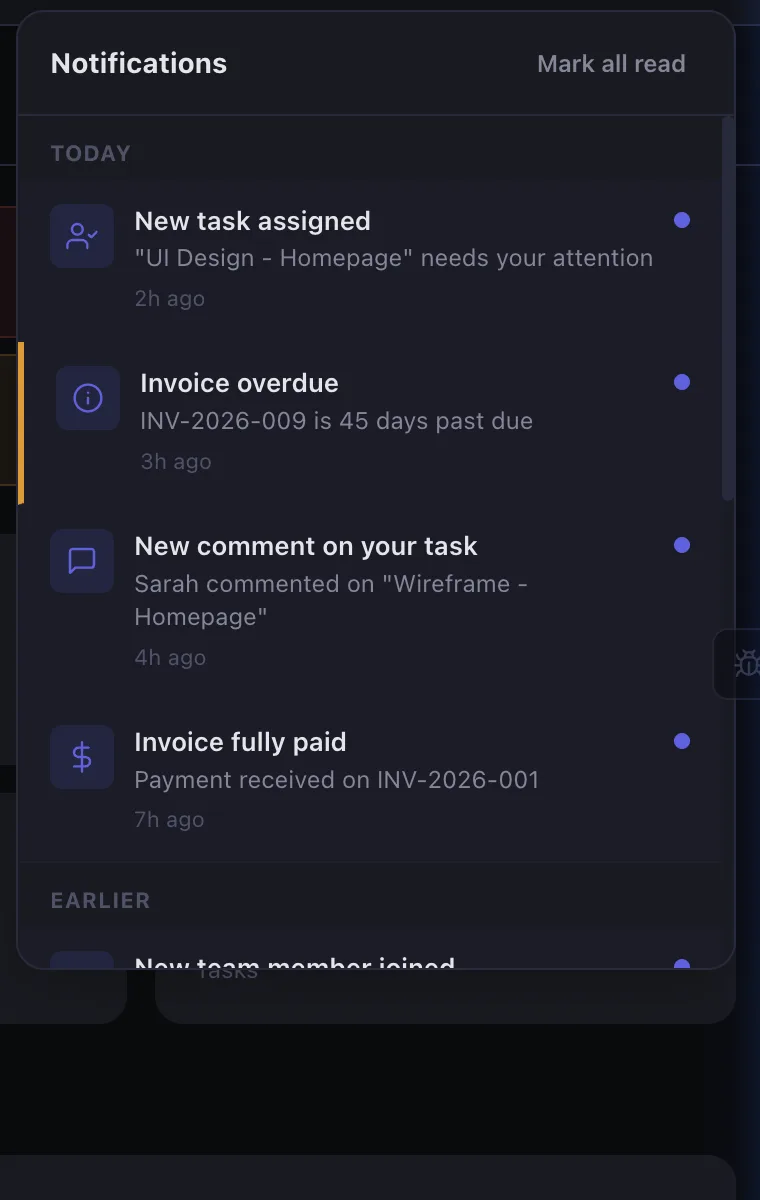
Every important event surfaces instantly in your notification center. Task assignments, overdue invoices, client comments, project status changes — all organized with timestamps and read/unread status.

  • Task assignments and status changes
  • Invoice paid, overdue, and sent alerts
  • Client and team comments with @mentions
  • Project health changes and milestone updates
  • Mark all read with one click
Start Free Trial
Notification panel with task assignments, overdue invoices, comments, and payment alerts

Email & Slack delivery

Choose how you receive notifications. Critical alerts can go to email and Slack simultaneously, while routine updates stay in-app. Each team member sets their own preferences.

  • Email notifications with branded templates
  • Slack integration for team channels
  • Per-user channel preferences
  • Priority-based routing (Critical → all channels)
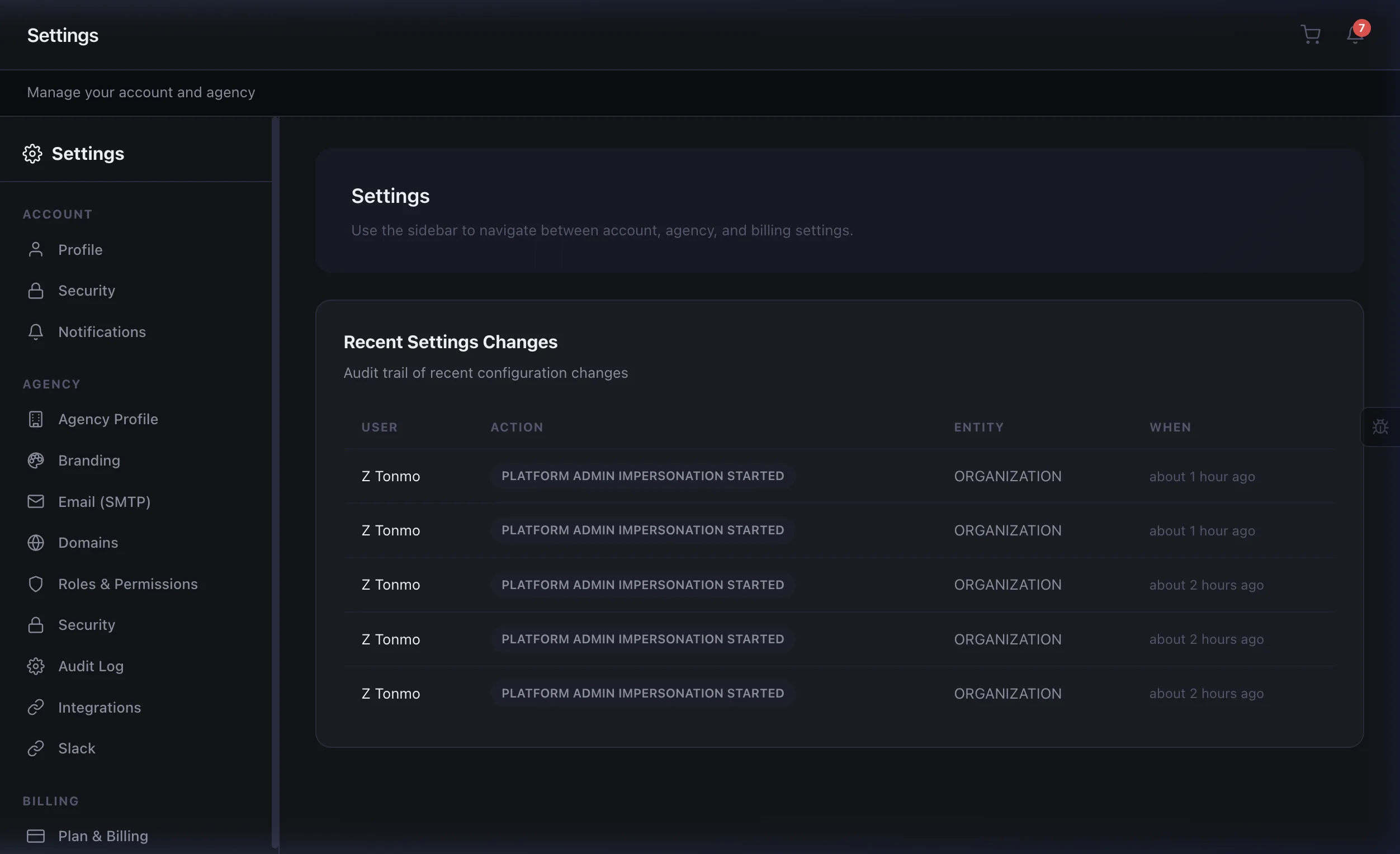
Notification settings with channel preferences and priority controls

Quiet hours & category filters

Set quiet hours so notifications don't disturb you outside work hours. Filter by category — maybe you want task notifications but not invoice alerts. Complete control over your attention.

  • Configurable quiet hours per user
  • Per-category on/off toggles
  • Priority levels: Low, Normal, High, Critical
  • Digest mode: batch notifications into daily summaries
  • Automation-triggered custom notifications
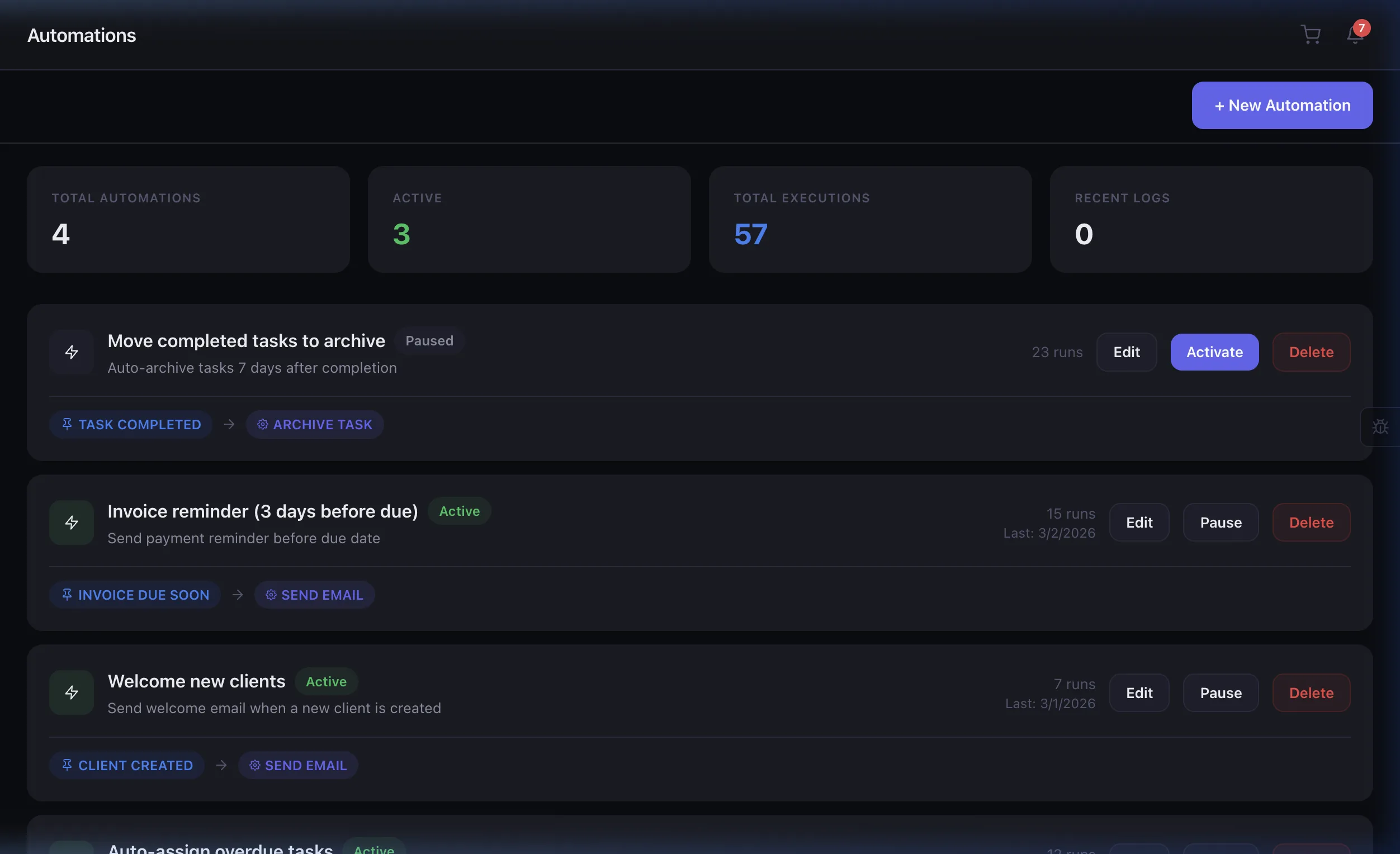
Automation rules for custom notification triggers and smart routing

Alerts that escalate automatically

Notifications aren't one-size-fits-all. Eidoncore escalates alert severity over time — so overdue invoices and delayed projects get louder, not quieter.

  • Invoice due in 3 days → Risk notification
  • Day 1 overdue → Risk alert to Owner & Admins
  • Day 7 overdue → Upgraded to Critical
  • Day 30 overdue → Critical + optional Slack alert
  • Project 7+ days past deadline → Critical escalation
  • Client health: At Risk → Churn Risk → Critical
Notification escalation timeline showing severity progression from risk to critical alerts
Instant Delivery
15+ Event Types
100% Configurable
0 Missed Updates

Loved by agencies

★★★★★

"The Slack integration means our team never misses a client update. Smart batching prevents notification fatigue — it's perfectly balanced."

EV
Elena Vasquez
Ops Manager, Summit Digital

Built for teams like yours

Remote Teams

Stay synchronized across time zones with instant, configurable alerts.

Agency Managers

Monitor project milestones, overdue tasks, and client activity.

Development Teams

Code review assignments, deployment alerts, and sprint updates.

Individual Contributors

Personalized notification preferences to reduce noise.

Frequently asked questions

Task assignments, due date reminders, invoice payments, client messages, @mentions, project updates, automation alerts, and security notifications — all configurable per user.

Yes. Each user can customize their notification preferences — choose which events trigger in-app alerts, email notifications, or both. Mute specific projects or clients as needed.

In-app notifications appear instantly. Email notifications are sent within seconds of the triggering event, with smart batching to avoid inbox flooding during high-activity periods.

Yes. Connect your Slack workspace to receive Eidoncore notifications directly in your team channels. Choose which events post to Slack and customize the message format.

From event to alert in milliseconds

1

Event Occurs

A task is assigned, an invoice is paid, a comment is posted, or an automation fires — Eidoncore detects the event instantly.

2

Smart Routing

The notification engine checks each user's preferences — channel (in-app, email, Slack), priority level, quiet hours, and category filters.

3

Instant Delivery

Alerts arrive in the right channel at the right time. Critical items get immediate delivery; routine updates batch into digests to reduce noise.

Stay informed, not overwhelmed

Smart notifications that respect your focus. Start your 14-day free trial.