Fully branded experience

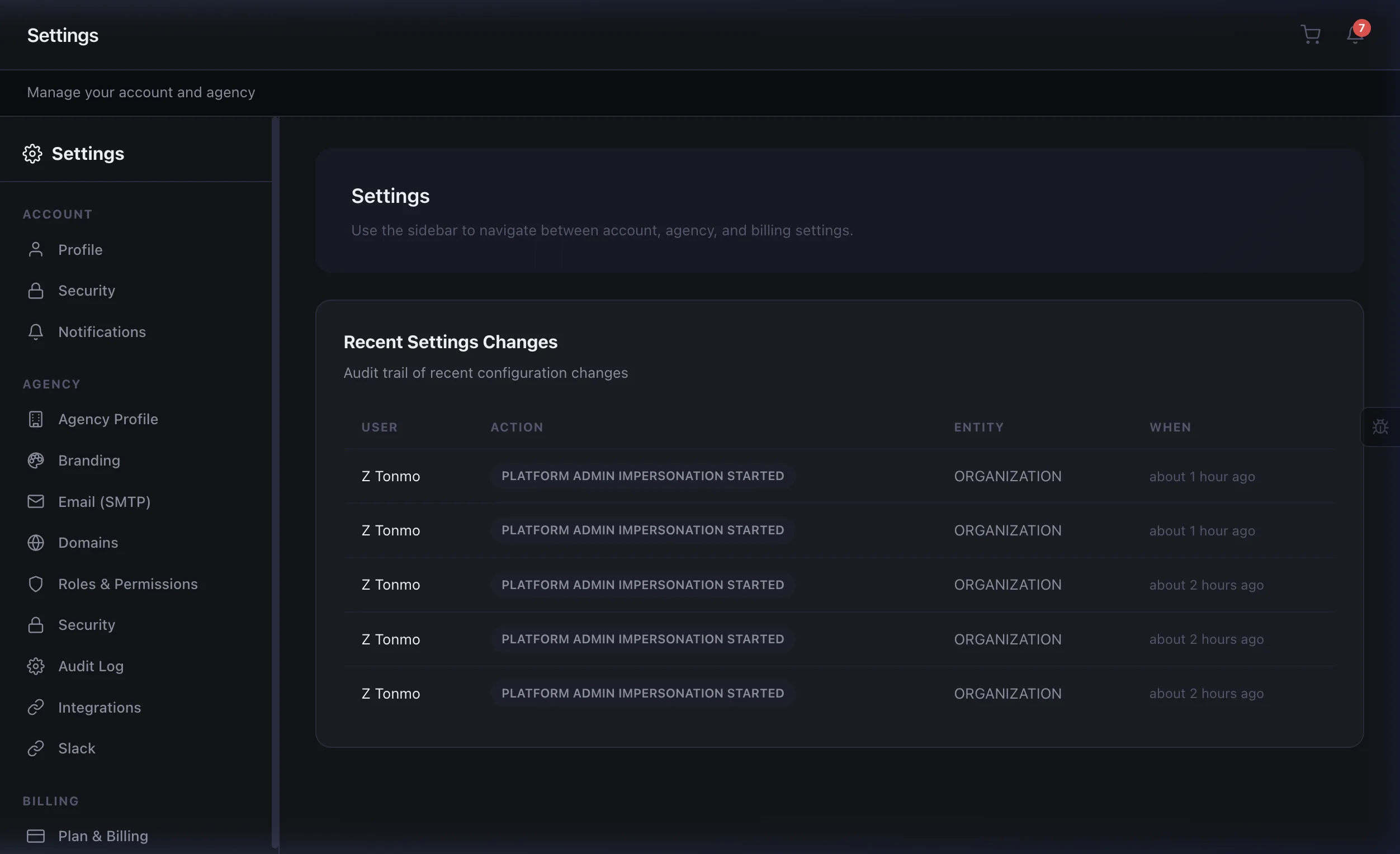
Customize the portal with your logo, colors, fonts, and even custom domain. Enterprise plans can go full white-label — your clients will never know you're using Eidoncore.

  • Custom logo, colors, and typography
  • Branded login page
  • Custom domain support (Enterprise)
  • White-label: remove all Eidoncore branding
  • Branded email notifications
Start Free Trial
Agency branding settings with logo, colors, and domain configuration

Clients see what matters

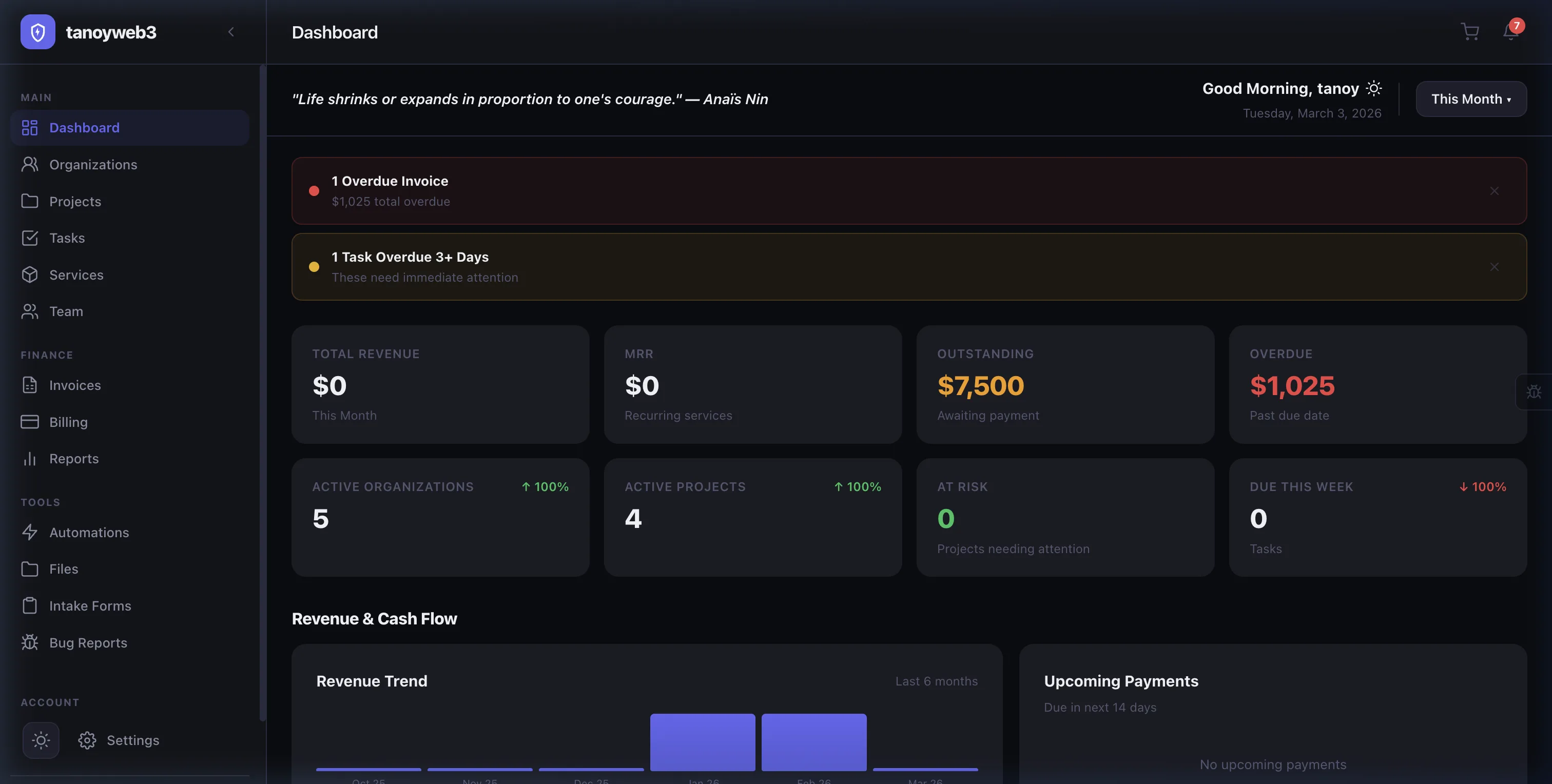
Client contacts can view their projects, assigned tasks, invoices, and files. They can leave comments, upload files, and approve deliverables — without accessing your internal data.

  • Project progress and milestones
  • Task list with comments
  • Invoice history with payment
  • File sharing and approvals
  • Org roles: Owner, Admin, Member, Viewer
Client self-service portal with projects, tasks, invoices, and service catalog

Clients browse, select, and pay — all in the portal

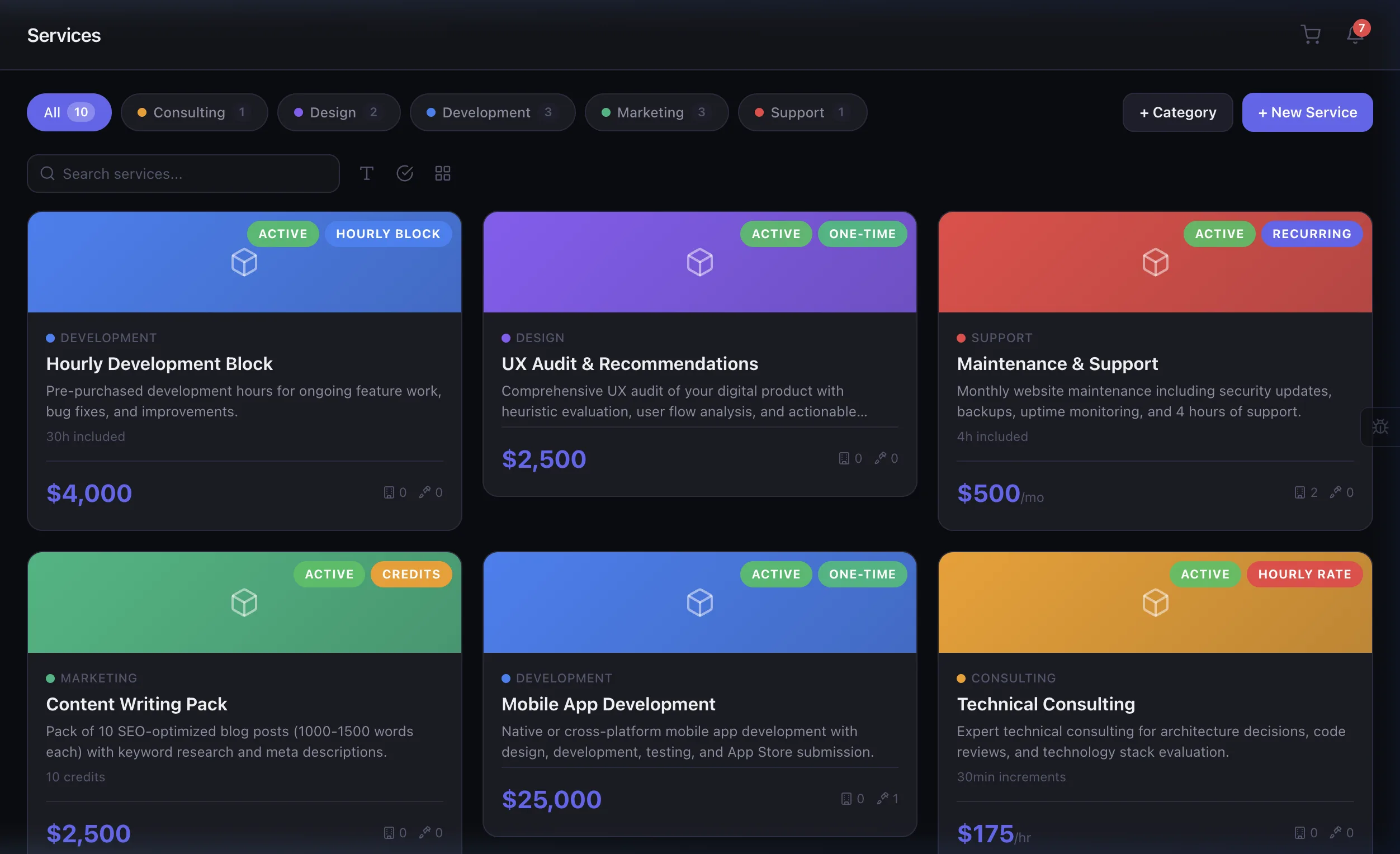
Your service catalog lives inside the client portal. Clients browse your offerings, add services to their cart, fill out intake forms with project requirements, and check out securely through Stripe — no email back-and-forth required.

  • Branded service catalog within the portal
  • Shopping cart with multi-service support
  • Intake forms capture project requirements
  • Stripe-powered secure payments
  • Auto-create projects and tasks post-purchase
Client portal service catalog with cart, checkout, and intake forms

Every pixel matches your brand

Go beyond a logo swap. Customize the login page, sidebar, email templates, and even the favicon. With SMTP integration, emails come from your own domain.

  • Custom login page with your logo and colors
  • Sidebar branding with agency identity
  • Custom email templates for portal notifications
  • Branded invoice PDFs via the portal
  • Custom favicon and page titles
  • SMTP integration for from-domain emails
Portal branding settings with login page, sidebar, email, and favicon customization

Clients manage their own products

When clients purchase digital products, a dedicated Digital Assets page appears in their portal sidebar. They can download files, view delivery instructions, submit intake forms, and cancel recurring subscriptions — all self-serve.

  • Product download with delivery URL
  • Delivery instructions per product
  • Intake form submission from product page
  • Self-serve subscription cancellation with reason
  • Purchase timeline and renewal info
Client digital assets page with product downloads, delivery instructions, and subscription management

Sell to visitors — no signup required

Your service catalog is public. Visitors can browse, purchase through Stripe, and an account + project is automatically created after payment. Zero friction checkout.

  • Public catalog visible to anonymous visitors
  • One-step checkout with registration + payment
  • Automatic account and project creation after payment
  • Client can log in immediately and see their project
  • Apple Pay & Google Pay supported
Guest checkout flow: browse catalog, purchase, automatic account and project creation

Client-side financial management

Clients get a My Account page to manage subscriptions, view payment history, and update billing info — reducing support requests and giving them full transparency.

  • Active, paused, and past subscriptions with status
  • Combined spending summary and payment history
  • Saved payment methods (card brand, last 4, expiry)
  • Self-serve subscription cancellation
  • Invoice payment and service purchase history
Client My Account page with subscriptions, payment history, and billing info management
500+ Portals Active
80% Fewer Support Emails
24/7 Client Self-Service
100% White-Label

Loved by agencies

★★★★★

"Our clients think the portal is custom-built just for them. The white-label branding and custom domain make it seamless."

DL
Daniel Lim
Director, Vanguard Creative

Built for teams like yours

White-Label Agencies

Custom branding, logo, colors, and domain — clients see your brand, not ours.

Managed Services

Self-service project tracking, file sharing, and invoice access.

Client-Facing Teams

Reduce support tickets by giving clients direct access to progress.

Premium Agencies

Deliver a premium client experience that sets you apart from competitors.

Frequently asked questions

Yes. Upload your logo, set brand colors, and customize the portal layout. Enterprise users can also use custom domains so the portal appears at portal.youragency.com.

Clients can view project progress, download deliverables, approve work, pay invoices, upload documents, and communicate with your team — all in a clean, self-service interface.

Clients receive a magic link via email — no password required. For enhanced security, Enterprise users can enable optional client-side two-factor authentication.

Absolutely. Configure visibility per project — show or hide tasks, budgets, time entries, and internal notes. Clients only see what you want them to see.

Enterprise-grade portal security

Magic Link Auth

Clients log in via magic links — no passwords to manage, reset, or forget.

Data Isolation

Each client only sees their own data. Full tenant isolation ensures zero cross-visibility.

Token-Based Access

Secure token-based resource resolution with expiring links for shared assets.

Role Permissions

Org roles (Owner, Admin, Member, Viewer) control what each contact can access.

Learn About Our Security

Delight your clients with a premium experience

Give clients their own portal — branded, self-service, and beautiful.