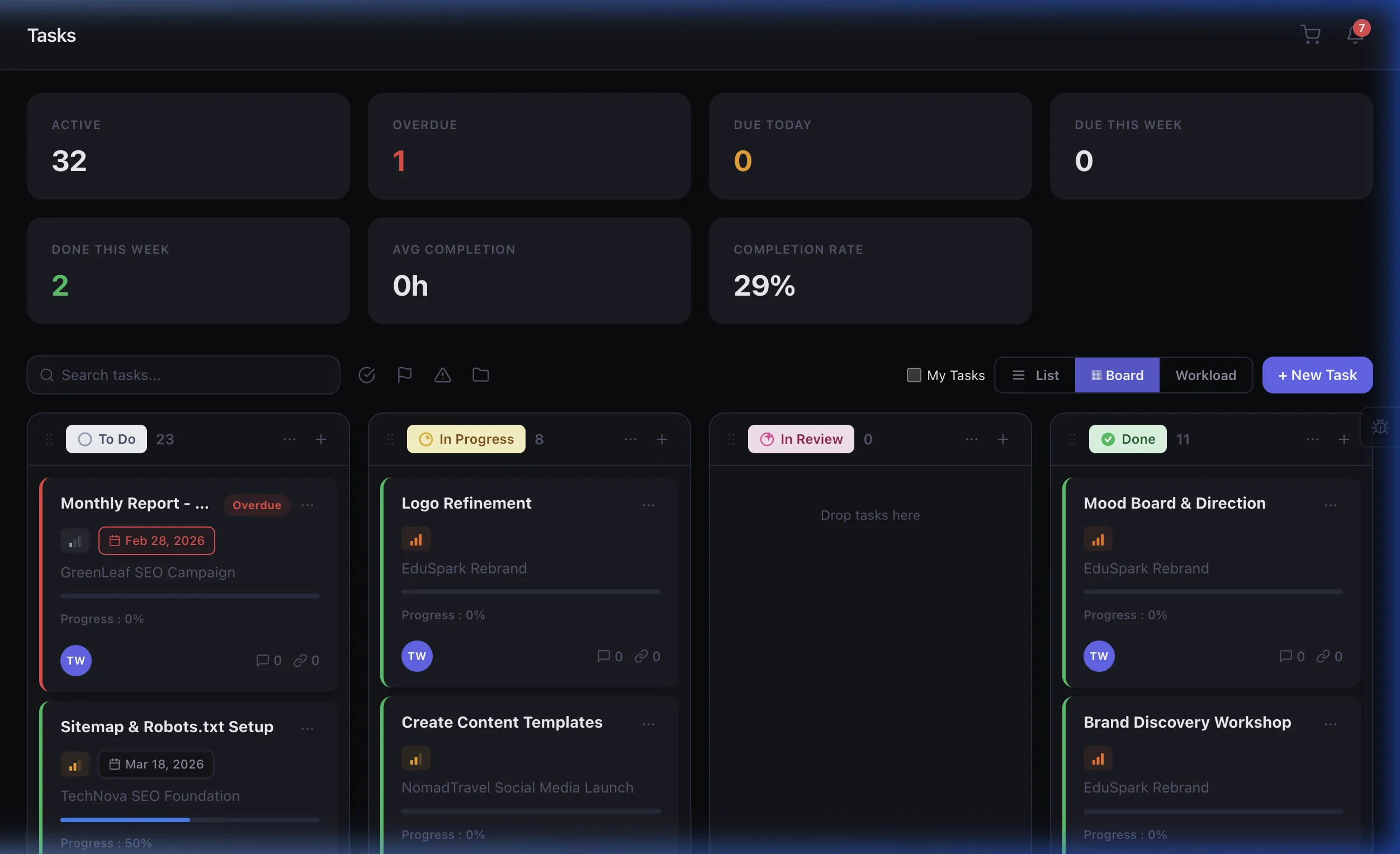
Every task, perfectly organized
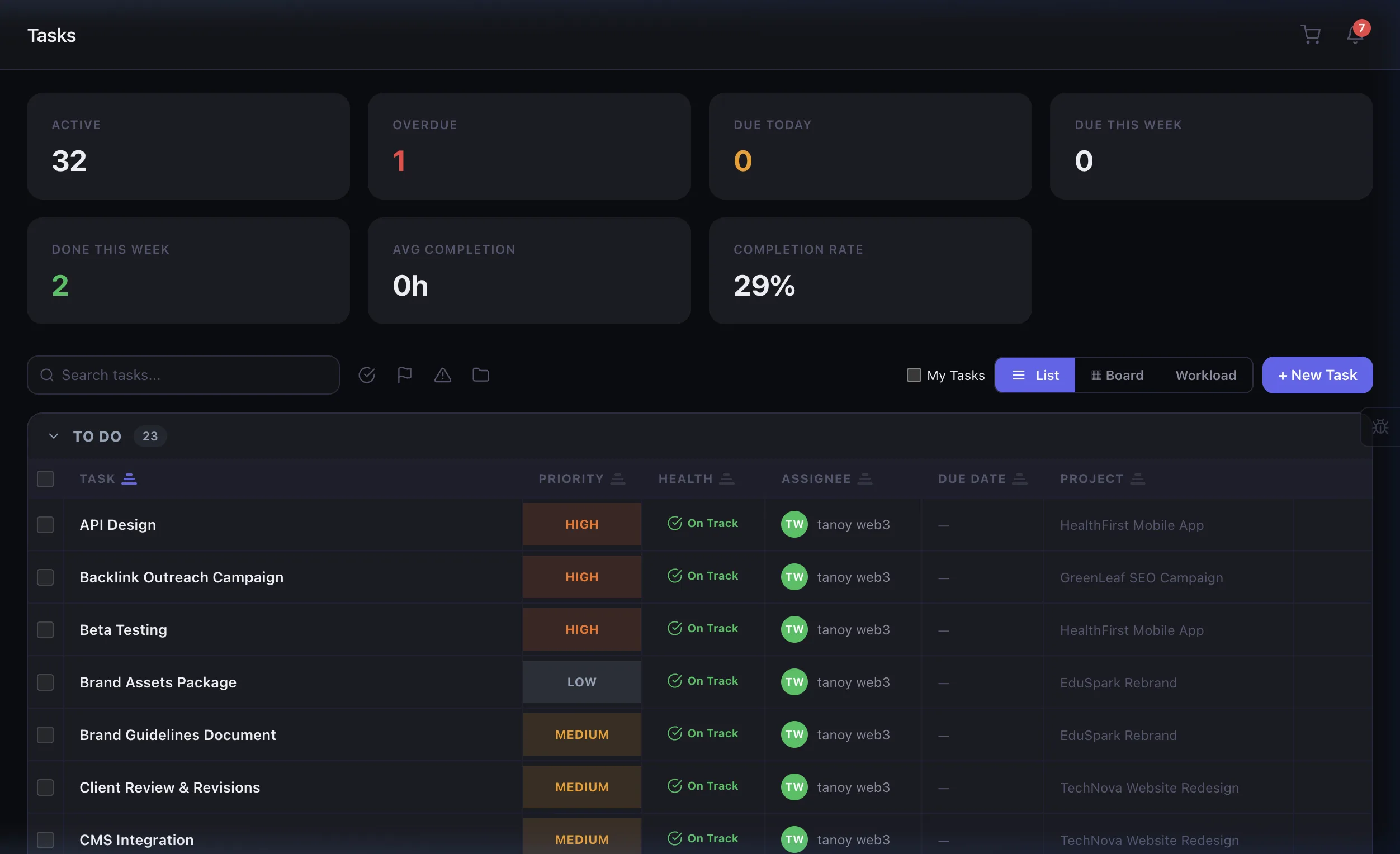
Kanban boards, list views, subtasks, checklists, dependencies, labels, live timers, and threaded comments — your team's productivity engine.
Loved by agencies
"The Kanban board with subtasks and time tracking is exactly what we needed. Our team actually enjoys using it — that's a first."
Built for teams like yours
Dev Teams
Sprint boards, code review tasks, and bug tracking with custom statuses.
Creative Teams
Design tasks with file attachments, revision tracking, and feedback loops.
Account Managers
Client-facing tasks with due dates, assignees, and notification rules.
Solo Operators
Personal task lists with time tracking for accurate client billing.
A day in the life of a team lead
Sprint planning
Drag tasks from the Backlog column to Sprint on your Kanban board. Assign team members, set due dates, and add subtask checklists for each deliverable.
Track progress
Team members start their live timers as they work. Subtasks get checked off, progress bars fill up, and the board updates in real time.
Collaborate
A developer posts a question in the task's threaded comments. You respond, attach a reference file, and @mention the designer to loop them in.
Review & ship
Move completed tasks to Done. Time logged, comments archived, subtasks checked. Tomorrow's standup prep takes 30 seconds, not 30 minutes.
Frequently asked questions
Eidoncore offers Kanban board, list view, and calendar view. Each view supports drag-and-drop, filtering, sorting, and custom status columns — so your team can work the way they prefer.
Yes. Built-in time tracking lets team members log hours directly on tasks. Time entries automatically appear in project reports and can be linked to invoices for accurate client billing.
Yes. Break down complex tasks into subtasks with their own assignees, due dates, and statuses. Parent task progress updates automatically as subtasks are completed.
Tasks support a primary assignee plus watchers/collaborators. Notifications are sent to all assigned members when the task is updated, commented on, or nearing its due date.
Related features
Tasks that power your entire agency
Automations
Auto-assign tasks, update statuses, and trigger notifications when events happen.
Projects
Tasks live inside projects — time tracked on tasks rolls up to project budgets automatically.
Notifications
Get real-time alerts for task assignments, comments, due dates, and status changes.
Invoicing
Convert tracked task hours into client invoices with one click.
Get your tasks under control
Start your 14-day free PRO trial and experience the full task management suite.