
Manage Your Agency Team & Roles Without Per-Seat Fees
Invite designers, developers, account managers, and contractors. Set custom permissions, track team availability, and allocate workloads effortlessly.
Five Distinct Roles For Seamless Operations
Easily assign team members to pre-configured security roles: Owner, Admin, Project Manager, Member, and Contractor — keeping financials private from contractors.
- Financial visibility locked to Owners and Admins only
- Project Managers limited to their assigned projects
- Contractors see only their assigned task checklists
- Instant one-click role upgrades or revocations
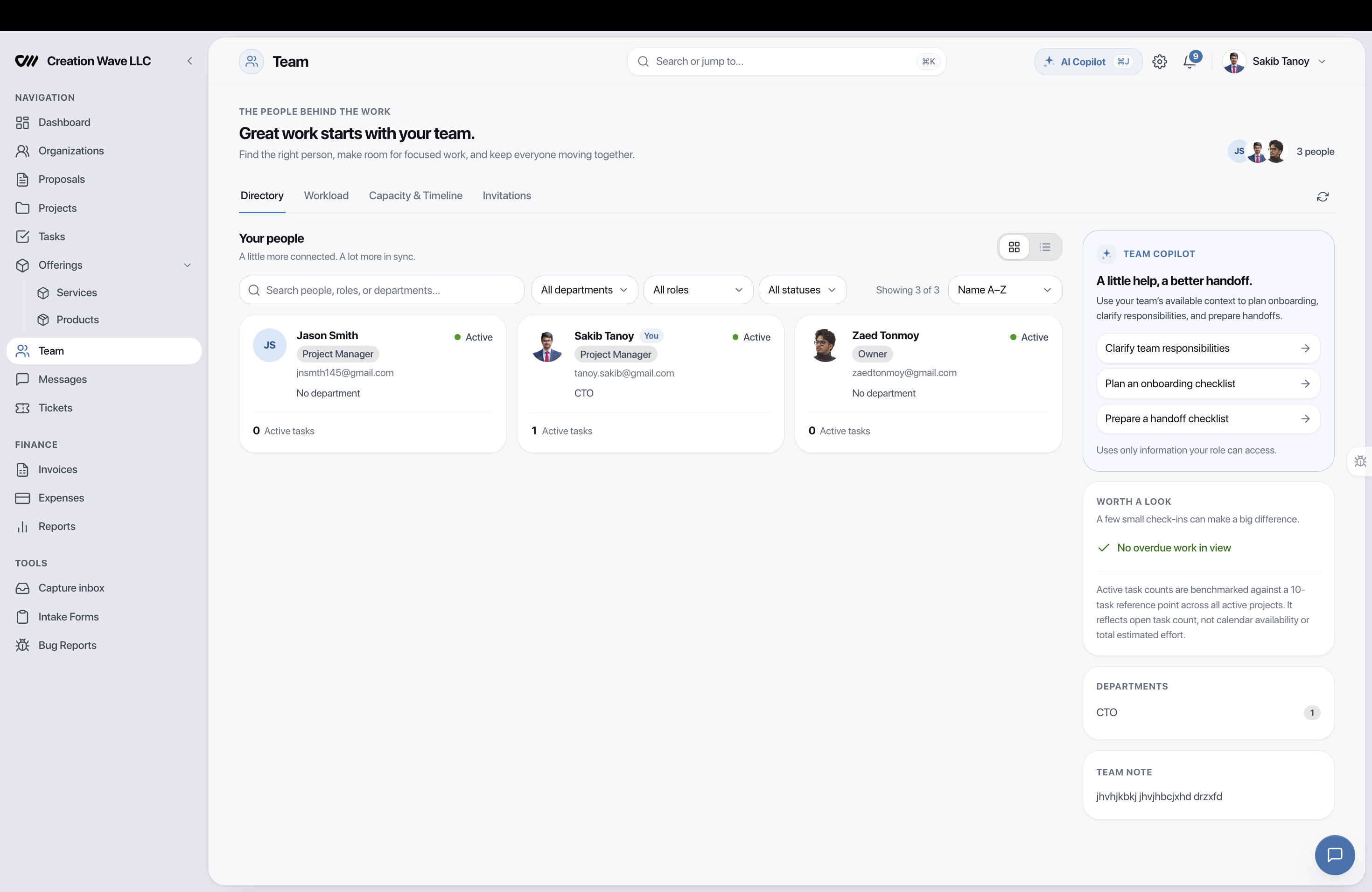
Balance Agency Workloads & Prevent Burnout
View current task loads across all team members in a single dashboard. See who has bandwidth for a new client project and who is over-allocated.
- Visual workload distribution bars across team members
- Real-time task count and active timer tracking
- Vacation and out-of-office scheduling
- Project reassignment in two clicks
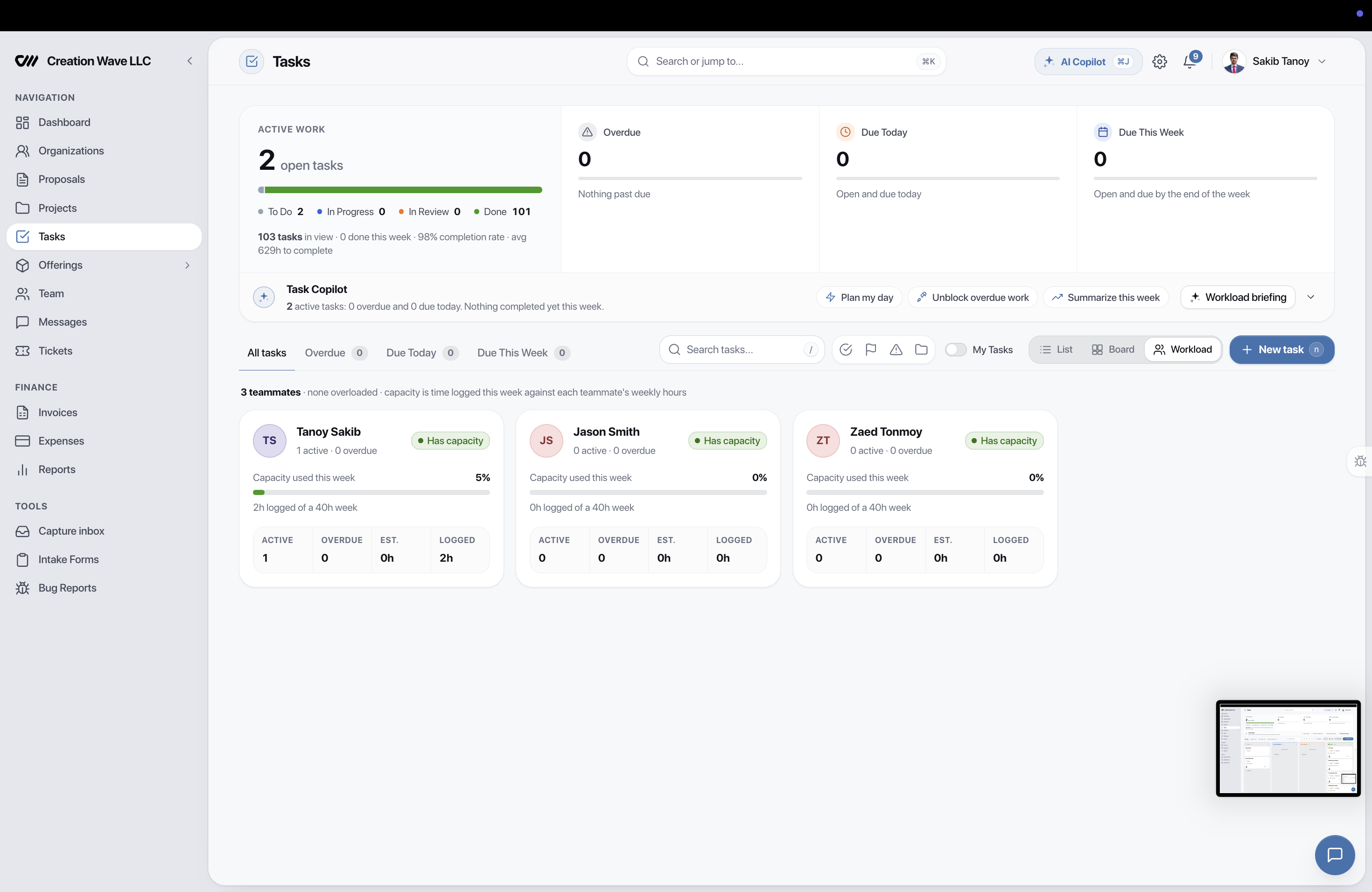
Centralized Team Directory and Profiles
Store contact details, job titles, hourly billing rates, and assigned departments. Maintain clean records of everyone contributing to your agency.
- Custom hourly billing rate vs internal cost rate
- Department tags: Design, Engineering, Growth, Ops
- Fast email invitations with custom onboarding messages
- Audit history of all team contributions
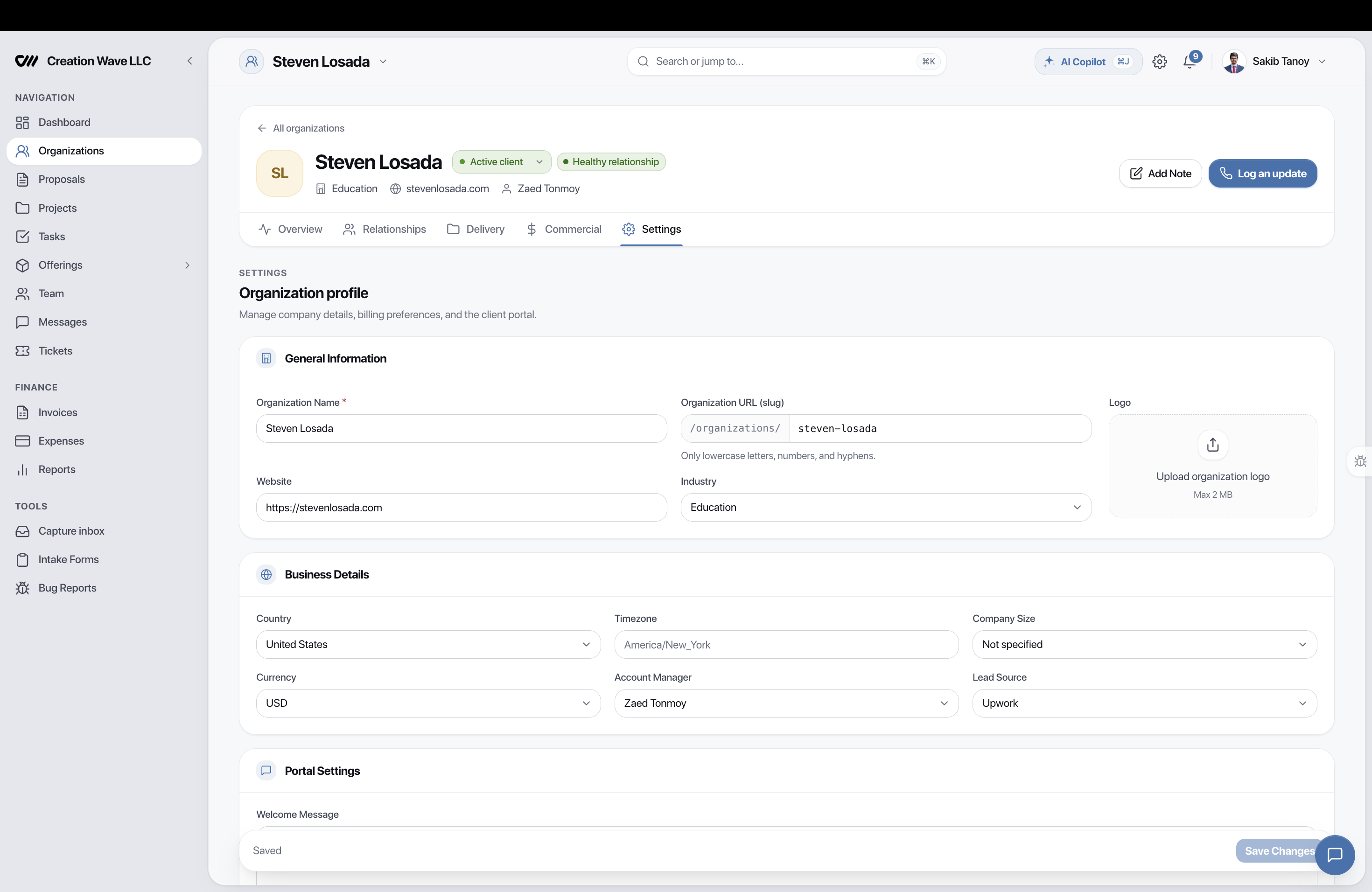
Engineered for Agency Scale
Every tool is designed to work in synergy with the entire Eidoncore suite.
Flat Pricing
Grow your agency team without paying per-seat software fees.
Financial Privacy
Contractors only see task details, never invoices or revenue.
Workload Cockpit
Spot over-allocated teammates before deadlines slip.
Custom Rates
Set different internal cost and client billing rates per member.
1-Click Invites
Send instant email invitations to new hires and freelancers.
Session Control
Administrators can terminate team sessions anytime.
Loved by 500+ Agencies Worldwide
Here's how Eidoncore replaces the tool stack for real agencies, every single day.
“We replaced Trello, HubSpot, and QuickBooks with just Eidoncore. Having our project budgets, client CRM, and invoicing connected in one platform saved us 15+ hours every week and eliminated all context switching.”

Sarah Kim
Operations Lead, Spectra Digital
Frequently Asked Questions
Yes! Eidoncore offers a permanent Free plan with up to 2 team members, 3 clients, 5 projects, and core agency features. No credit card required.
The agency playbook, monthly.
New workflows, fresh integrations, and what we shipped — one email, no fluff.
Ready to Streamline Your Agency?
Join 500+ agencies running their entire client workflow from a single platform. Start your 14-day free PRO trial — no credit card required.